

How to Use the Image Description and OCR Features in the Copernic AI Extension
Summary
Copernic’s AI Extension makes it easy to understand images and extract visible text directly from the preview pane. Users can generate image descriptions, access extracted text through the OCR tab, and connect their existing Gemini or OpenAI account. This feature is included with Copernic Advanced and Elite subscriptions. For additional assistance, contact [email protected].
How to Use the Image Description and OCR Features in the Copernic AI Extension
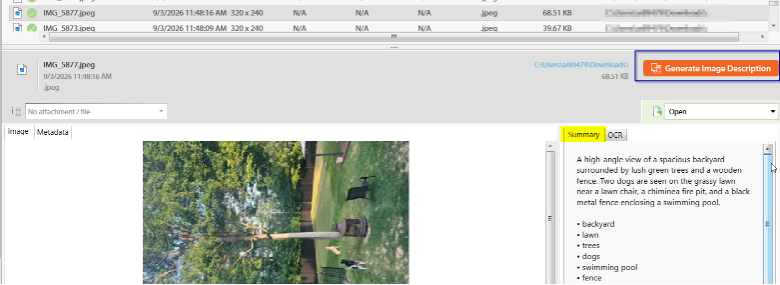
Having a quick method to summarize your documents is easy with Copernic! To summarize your image, click on the image you would like to summarize to preview it. In the preview pane, select “Generate Image Description.”
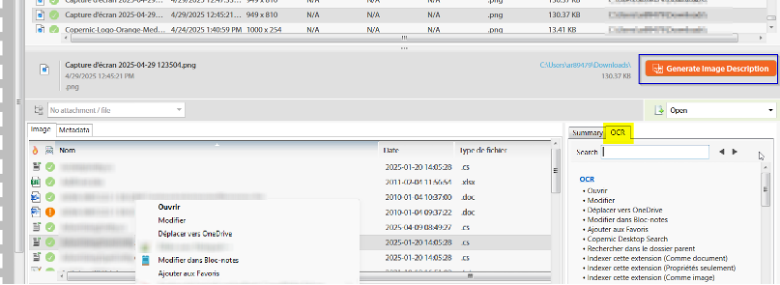
If you have an image that contains words as well, the OCR tab will provide a list of words visible in the document.
The Copernic AI extension works with your existing account with Gemini and/or OpenAI. It is included in our Advanced and Elite packages. Have more questions? Please feel free to reach out to our Service Team at [email protected].