

Using the Query Assistant in the AI Extension
Summary
Copernic’s Query Assistant helps you find information faster by turning a written request into search refinements. This guide explains how to activate the feature, enter your request and view your results. Available through the AI Extension with Advanced and Elite subscriptions, the Query Assistant simplifies the search process.
Using the Query Assistant in the AI Extension
The Query Assistant in the AI extension can turn your written request into results in a matter of seconds! To activate the Query Assistant, click on the orange Query Assistant Button on the dashboard of the main page.

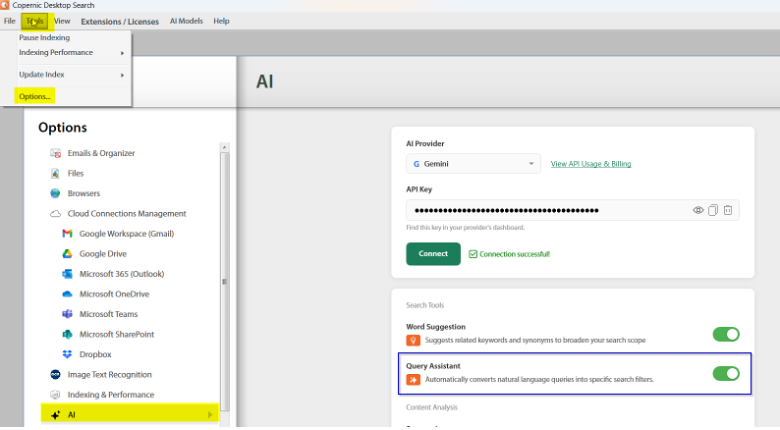
If you don’t see it on your dashboard, you can enable it in Tools->Options->AI and toggle the tick box next to Query Assistant.
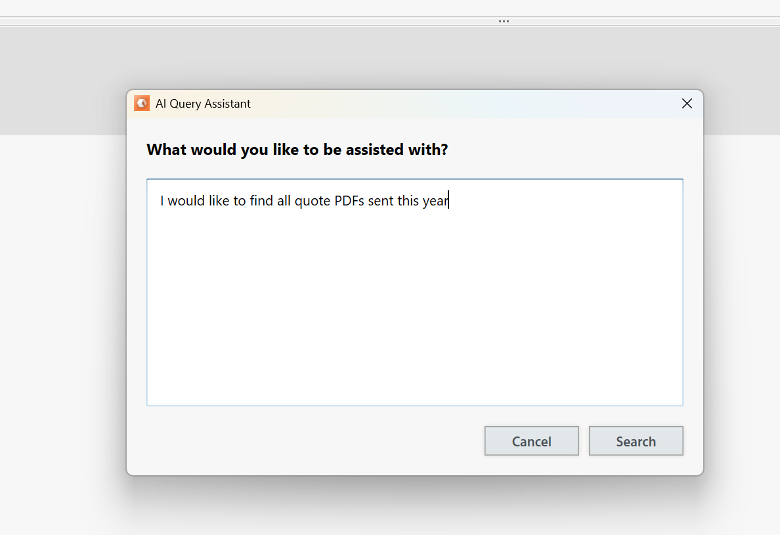
When activated, a box will pop up. Enter what you are seeking and select Search.
The Query Assistant will create your Refinements based on the information you’ve provided.
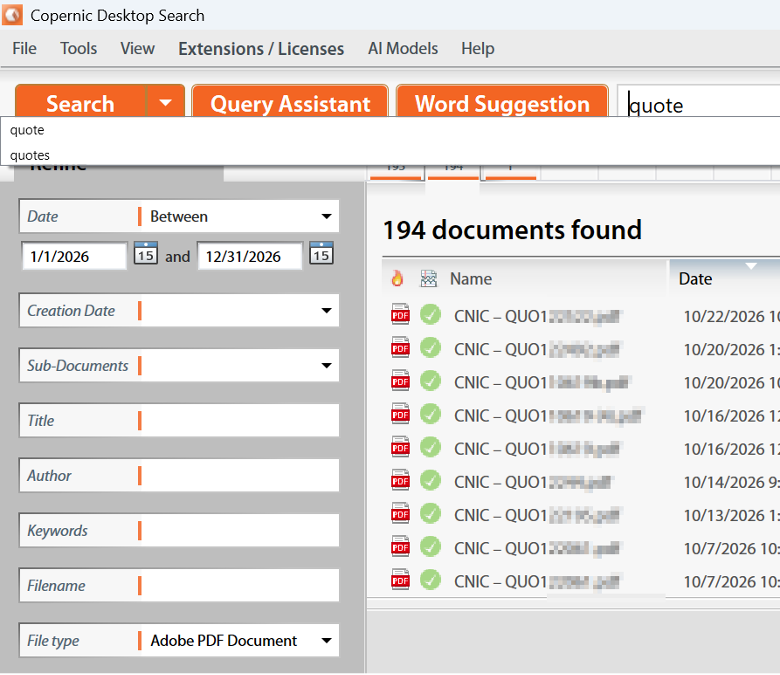
Your search results will display in moments and you have saved yourself a lot of time!
The AI Extension is available on the Advanced and Elite solutions. If you’re on a Basic subscription and would like to upgrade, please reach out to us at [email protected].